 ConSprint Help
Inventory
Your supply closet: everything you own for building, shared across all your quests. It shows what's left of each supply and what it's worth, so leftovers from the last build get used first.
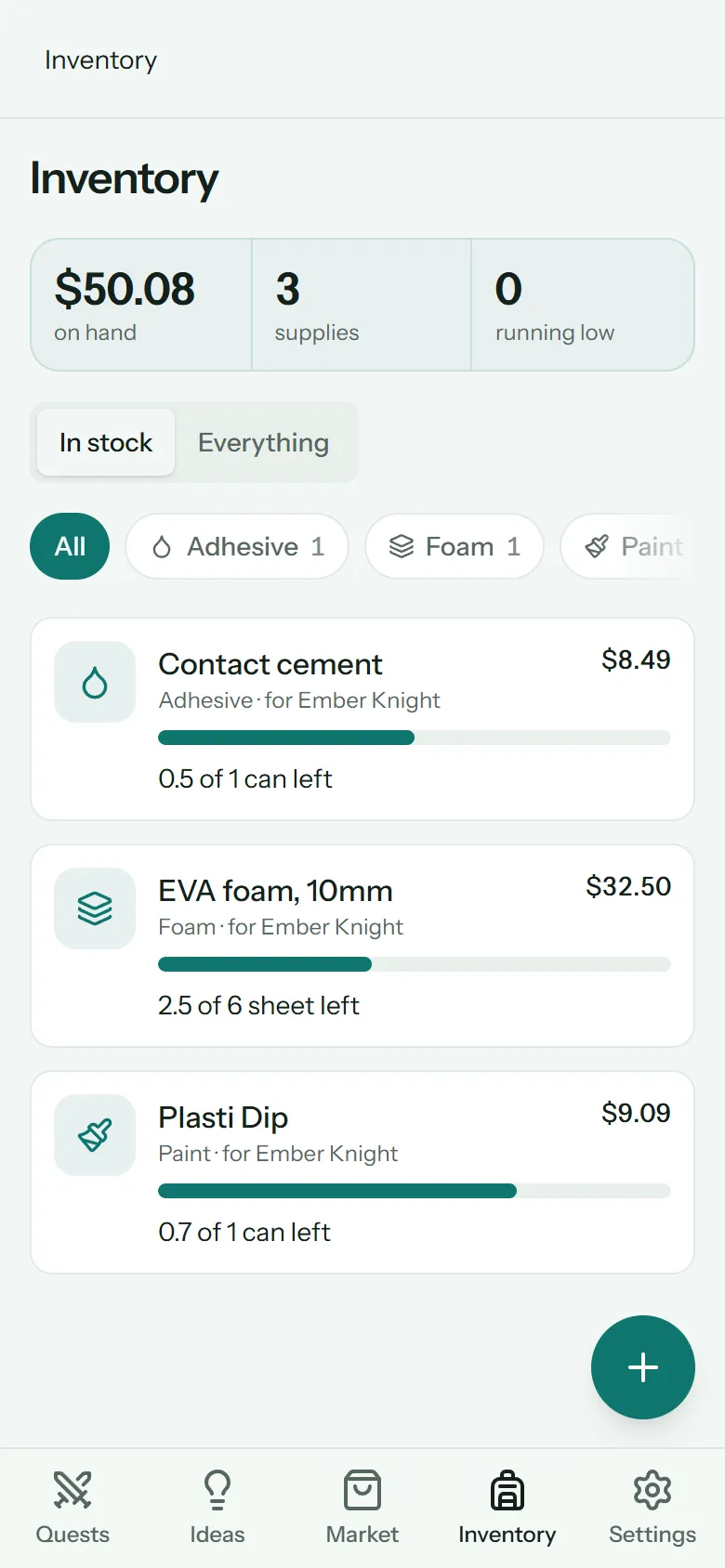
At the top: what everything on hand is worth, how many supplies you have, and how many are running low (a quarter or less left).
In stock shows what you still have; Everything adds what's used up. The chips filter by category (foam, fabric, paint and so on).
How things get here
- Mark something bought in the Market, and it lands here with what you paid.
- Or tap + (Add supply on a computer) to add something you already own: last year's leftovers, scraps, gifts. Free things can cost $0.
| Field | What it's for |
|---|---|
| What | e.g. Black EVA foam |
| Category | Groups it, and picks its icon |
| Unit | What you count it in: sheet, yard, can, each… |
| How much and Paid | The amount and what it cost in total |
| Bought on | When you got it |
| Where from and Note | Optional |
Use some
Tap a supply to open it. Under Use some:
- Pick the quest it went On, and the Part (or the whole quest).
- Type the Amount, or tap All.
- Tap Use it.
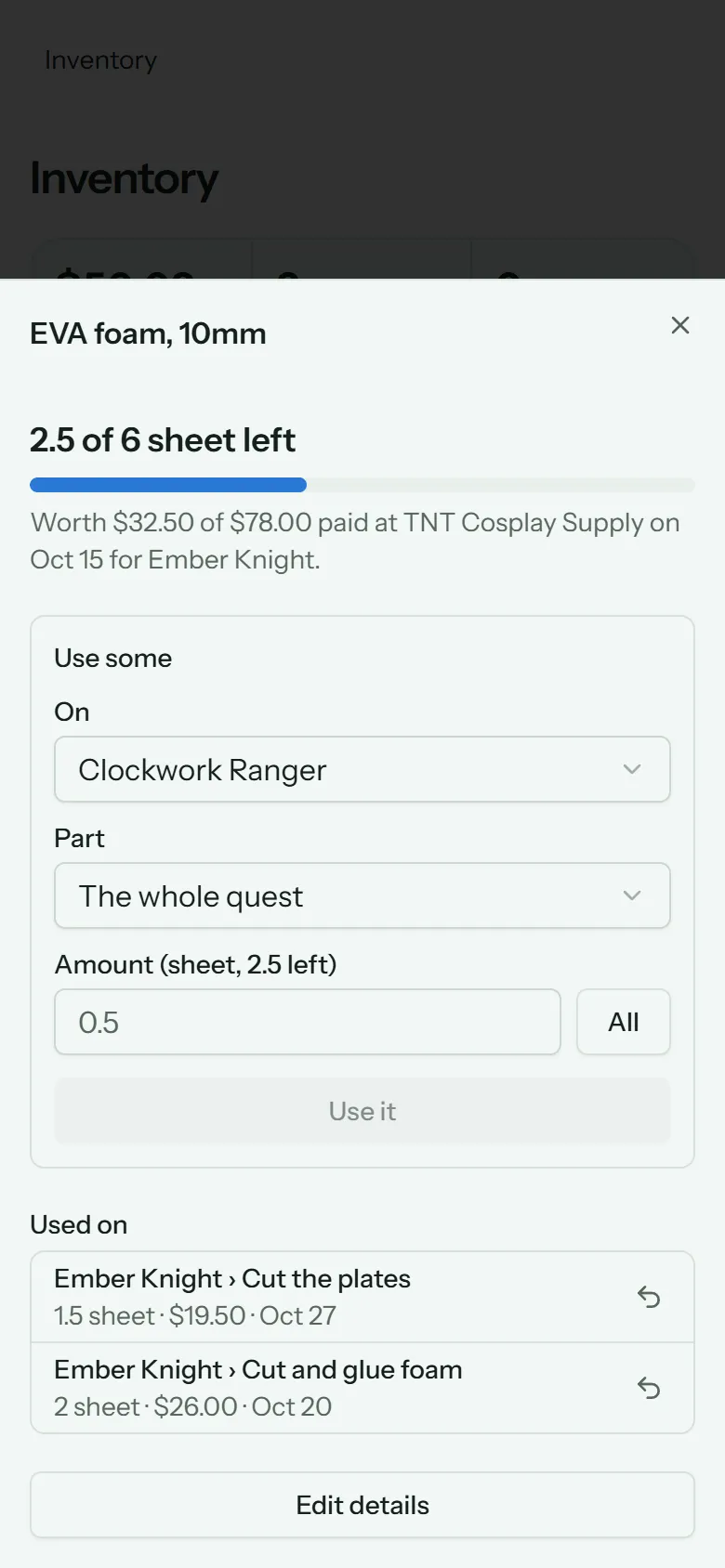
The quest is charged its share of what you paid: half of a $14 can costs $7. That share shows in the quest's Cost so far. See Costs and budget.
You can do the same from a step's Money tab. See Materials used.
Return a use
Under Used on, every use is listed with its quest, part, amount and cost. Tap the return arrow to undo one: the amount goes back into stock, and the quest isn't charged for it any more.
Edit or remove
Edit details changes a supply's name, category, unit and notes. Its amount and price are fixed once any of it is used, since past uses were charged from them.
Remove from Inventory deletes a supply that hasn't been used. If it came from the Market, the item goes back on the shopping list.